Triumph · End-to-end design & research
A better customer service experience leads to improved business outcomes
Researched and designed in four weeks for TriumphPay's support team.
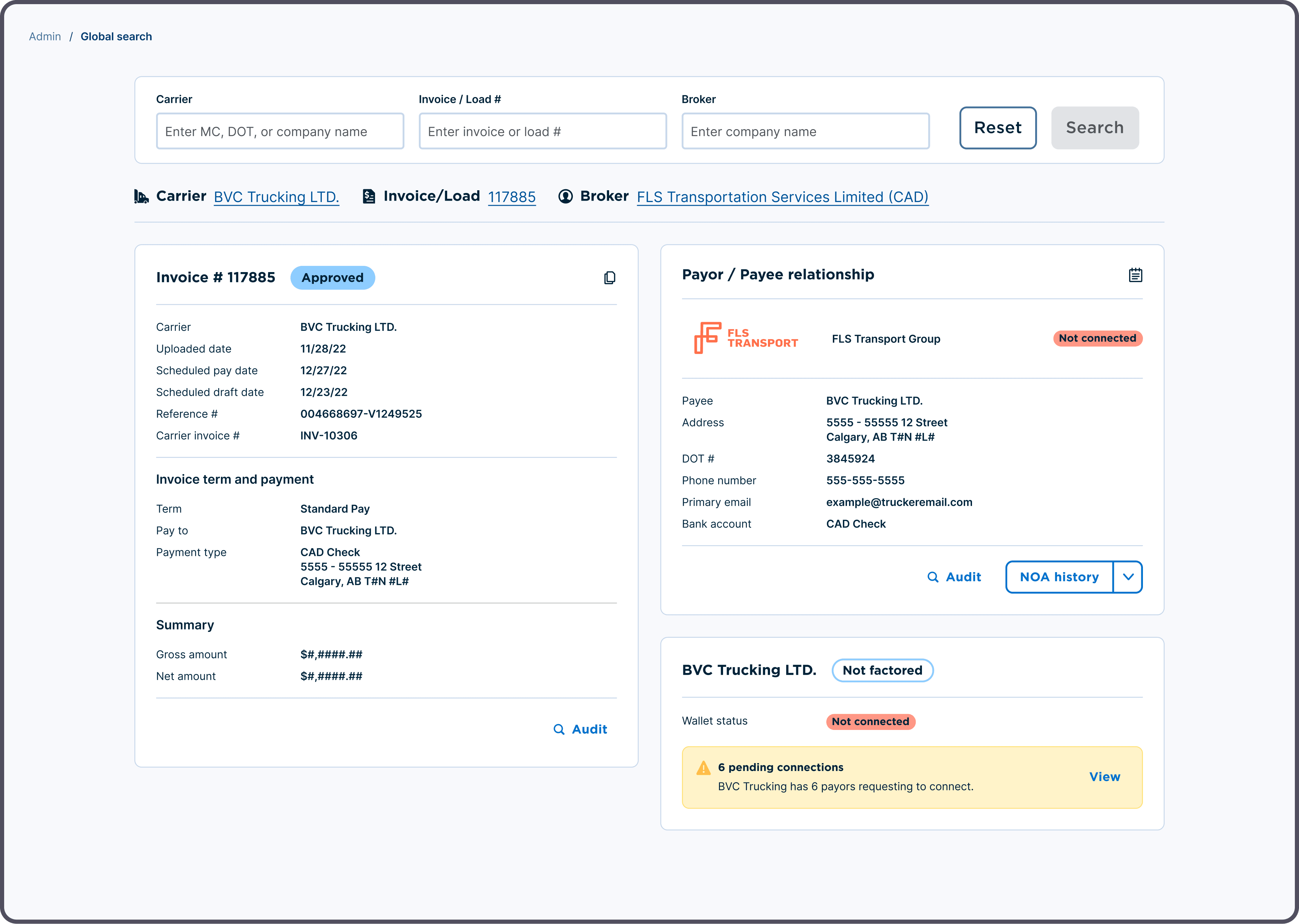
A Global Search tool that puts a customer's invoice, payor relationship and factoring status on one screen, cutting chat handle time 49% and phone handle time 33%.
Context
TriumphPay is a payments and audit platform for trucking, used by brokers, factors, shippers and carriers. Its customer service agents are the first line of defense when a payment goes wrong, and most contacts are about payment status. Agents work one of three queues (tickets, phone or chat) with daily KPIs to hit.
Problem
The company was pushing toward profitability, and support efficiency was one lever. Agents juggled multiple tools for a single task. To find basic information, they had to jump into customer profiles, effectively impersonating the customer, then copy and paste details between screens. Every customer held different information, so profile switching never stopped, and it ate handle time.
Approach
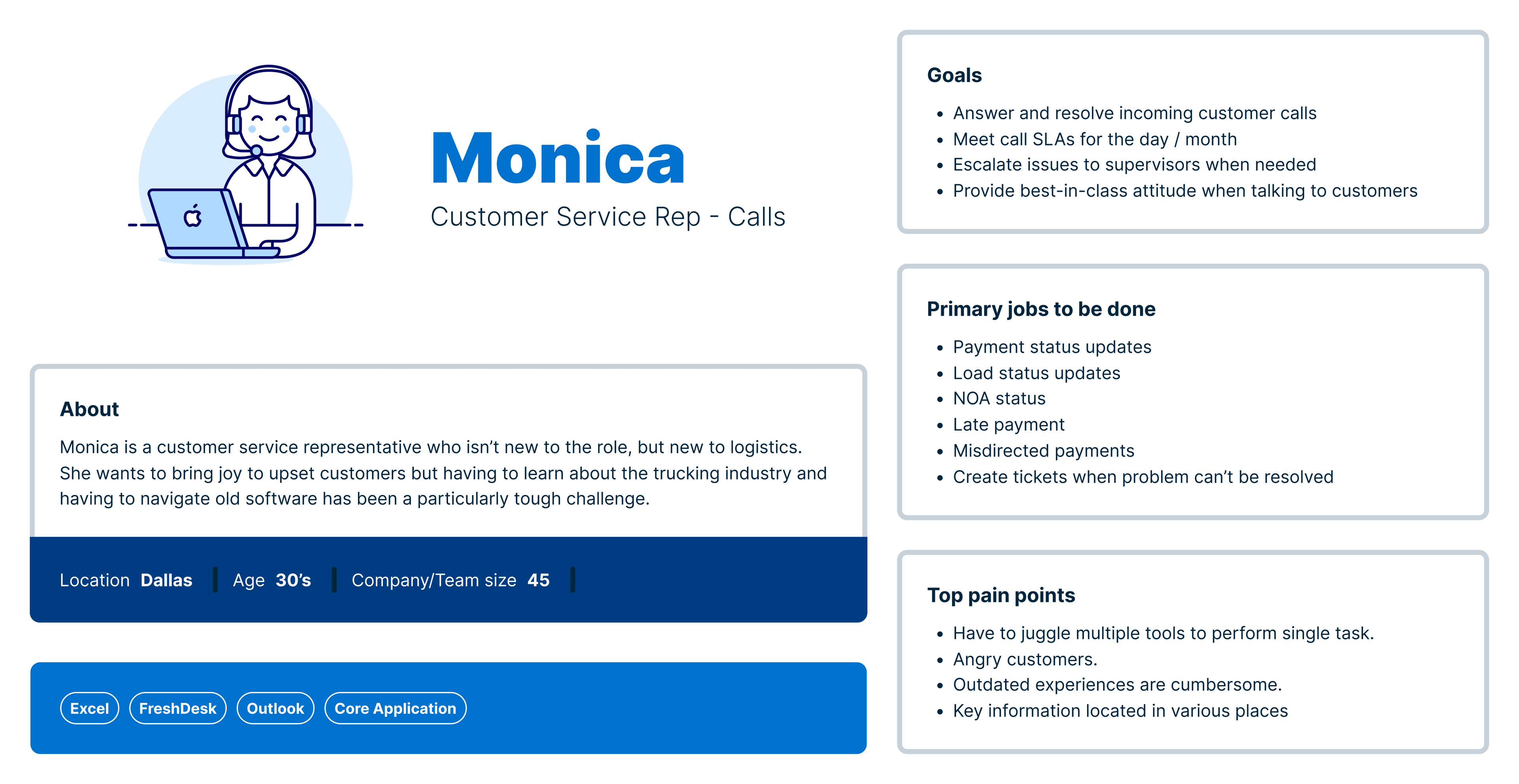
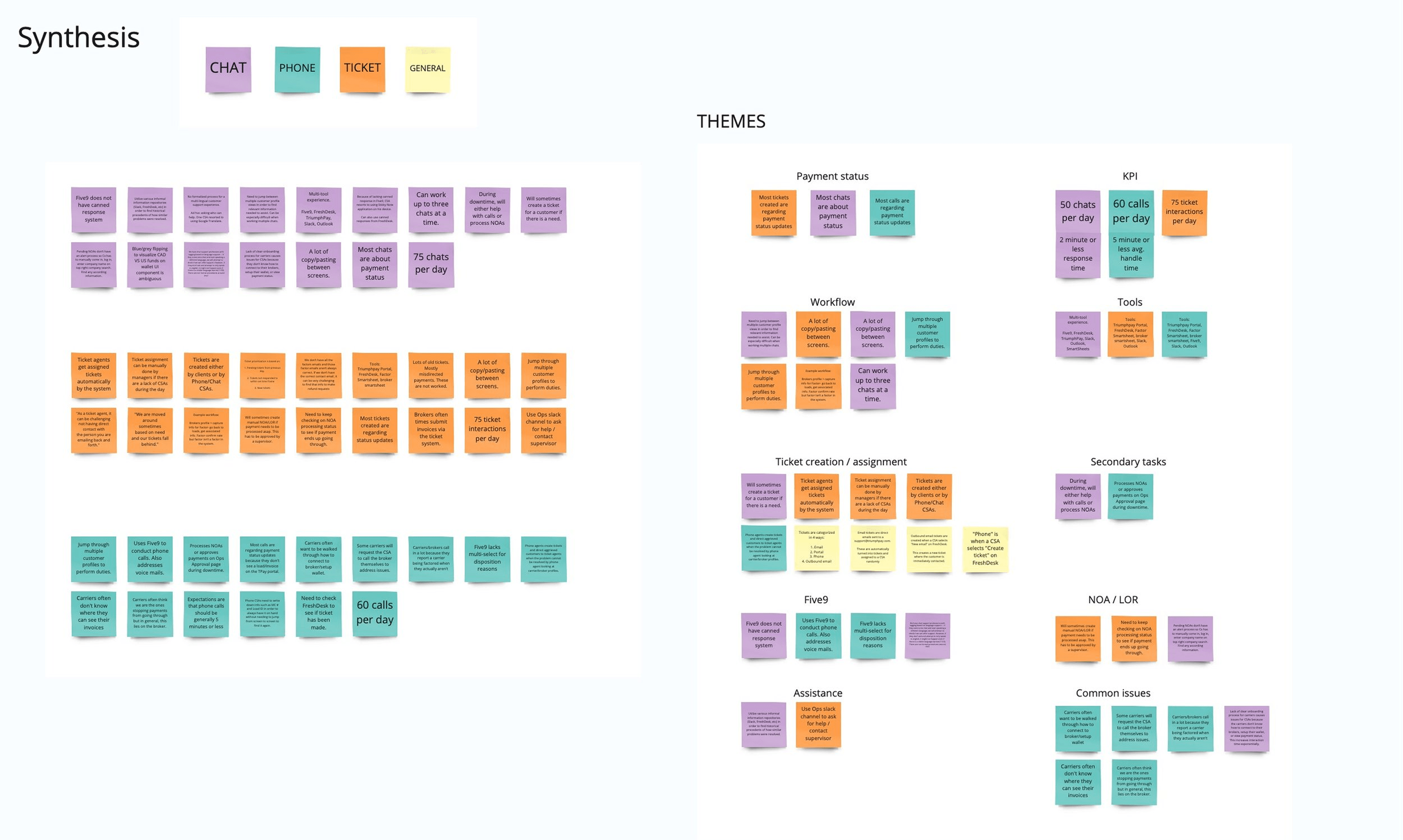
I had four weeks, a dev team unfamiliar with the codebase, and a problem nobody had defined. With our Research Lead, I ran six contextual inquiries of 90 minutes each: 30 minutes getting to know the agent, the rest shadowing their real work. We turned the notes and recordings into a persona, a thematic analysis and an experience map. The pattern was consistent: agents needed one holistic view of the customer. Stakeholders agreed.
I sketched four approaches in Figma and worked through the tradeoffs with Product and Dev. We chose a card layout because it was a familiar pattern, easy to scope, and fit one quarter of engineering effort.
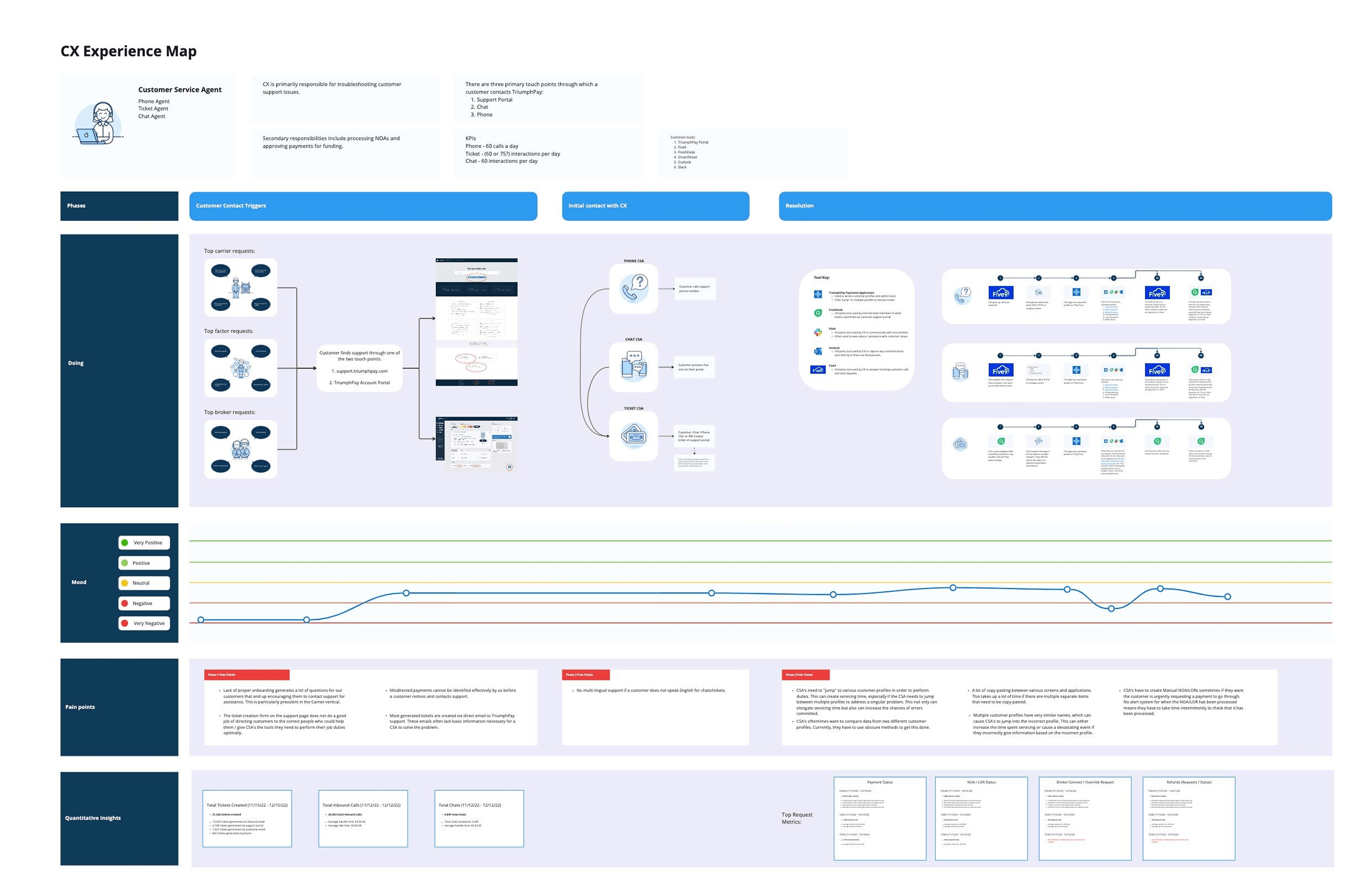
The experience map: every profile switch it took to answer one payment question.
1 / 3Solution
Global Search lets an agent look up a carrier, invoice or load, or broker from one place. Two fields are enough to run a search. When more than one record matches, a results table lists every invoice with status and amount so the agent can pick the right one. Opening a row puts invoice details, the payor and payee relationship, and factoring status on one screen, with links out to each related profile.
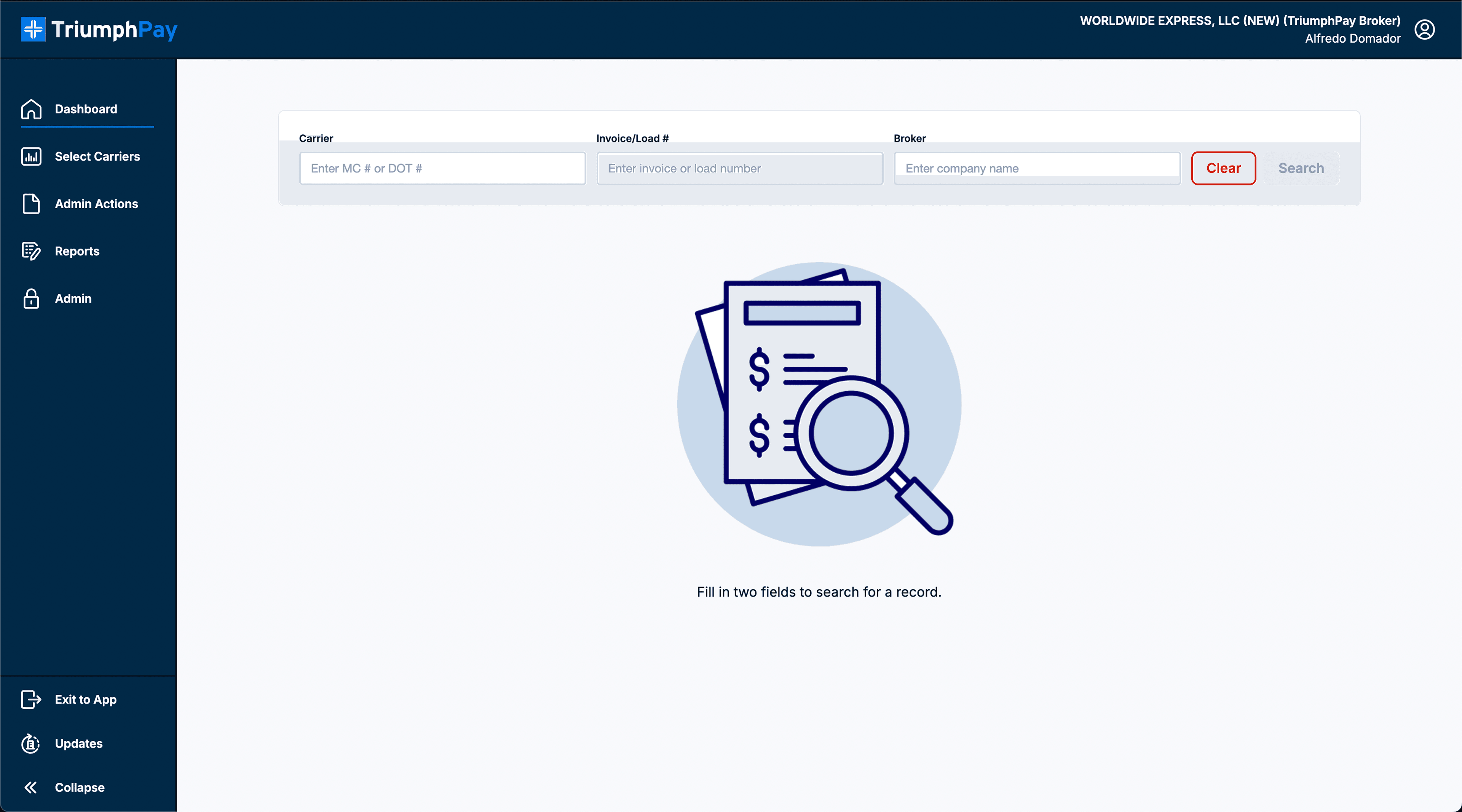
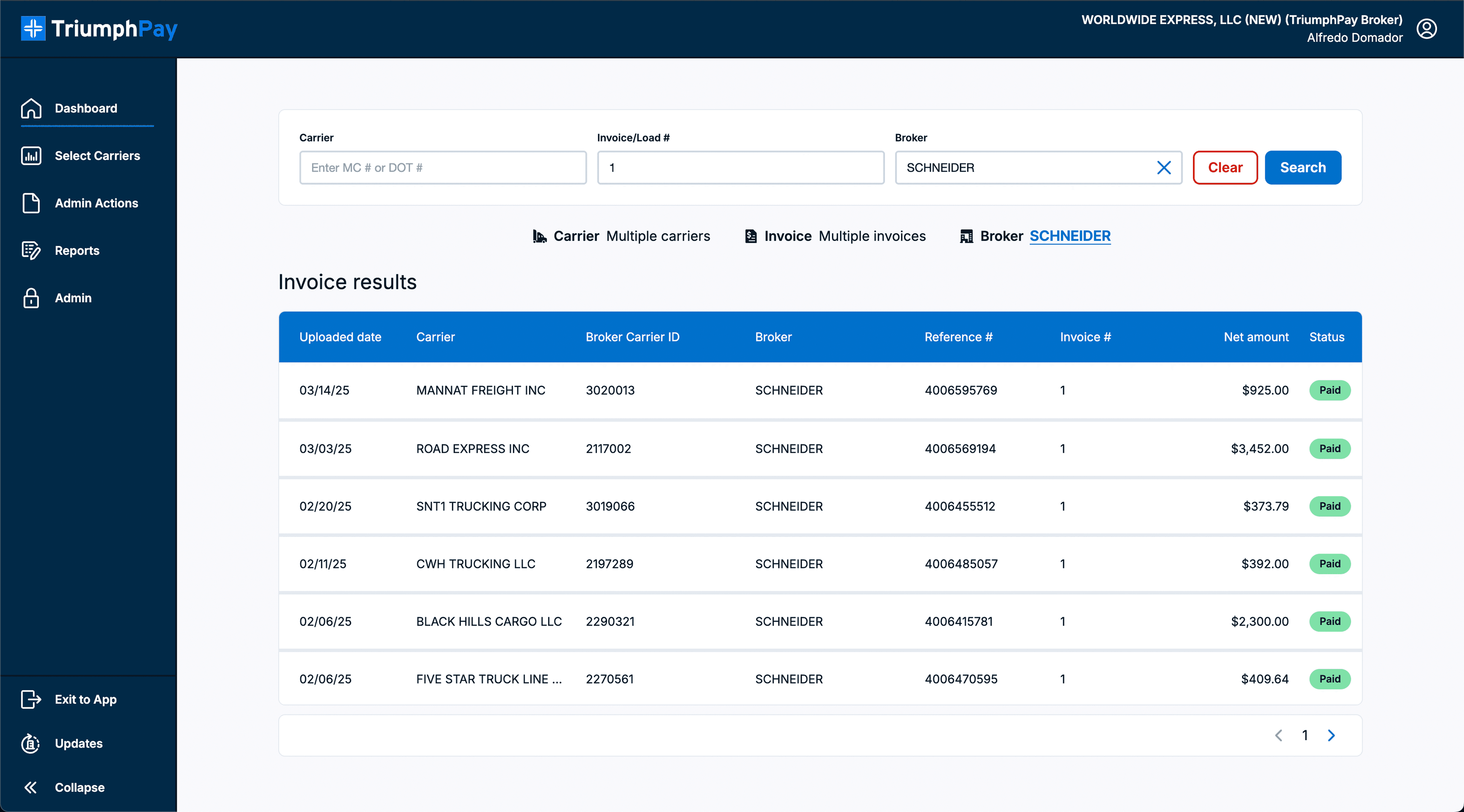
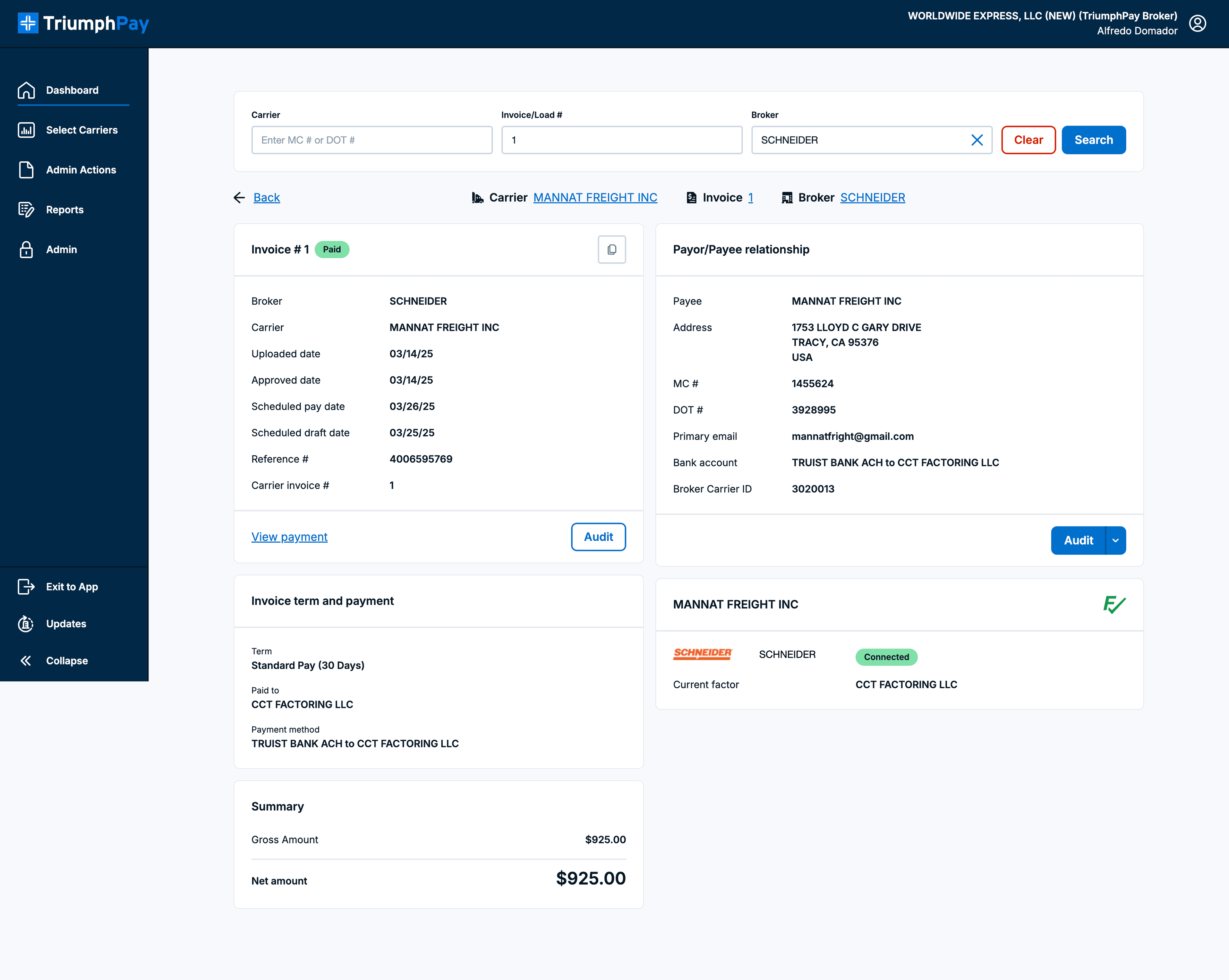
Search starts empty. Two fields are enough to look up a record.
1 / 3